Niagawan
POS + Accounting

Your boutique, from the size question at the rack to a real profit figure per piece

One design in three colours and five sizes is fifteen things to track. The counter scans, the online order pulls from the same stock, and the consignment pieces settle themselves. POS and accounting in one system, not two.

Your day, right now

Racks full of stock, and still flying blind

A customer holds up a kurung and asks for an M. Someone runs to the back room to dig. At the same moment a DM comes in on Instagram for the same piece — the last one — and it just walked out the door on somebody else. At night you count what you can, and post the rest tomorrow.

You sell what you no longer have.The online buyer pays for the last piece an in-store customer just took. Refund, apology, and a review you did not want.

Dead sizes eat your cash quietly.The XS and XXL of every design sit for months. Your money hangs on the rack instead of buying the next drop.

The consignment designers get a guessed number.Their pieces mix with yours on the rack. At month end you settle from memory, and hope neither side is short.

You price by feeling, not by margin.Which collection actually made money after the markdowns? Nobody can say — so the next buying trip is a gamble.

You have busy weekends and a full rack. You do not have the numbers.

Sales look healthy — the weekend crowd, the DMs, the raya rush. But every piece has a cost, a markdown and a size that sells or does not, and none of it is written anywhere. Whether the shop made money this month, or just moved boxes, is a question the rack cannot answer.

And the money is scattered: cash in the drawer, transfers in the bank, e-wallet payouts landing days later, a consignment settlement you owe someone. What is actually yours after all of that, nobody in the shop can tell you.

How Niagawan fixes it

Every piece tracked by size and colour, every sale in your accounts

Each piece goes in once — design, size, colour, cost. From then on the counter, the online orders and the consignment rack all pull from the same stock, and the accounts write themselves.

01

Stock in, with size and colour

One design, every size and colour, each with its own barcode and its own cost.

02

Scan at the counter

The barcode knows exactly which piece. Cash, transfer or e-wallet, recorded separately.

03

The online order pulls the same stock

Sell in a DM, key it in, and the piece leaves the rack count too. No more selling what already walked out.

04

It is already in your accounts

Sales, cost and margin, per piece, per day. Nothing to key at month end.

Everywhere else you buy the halves separately — a retail POS from one company, accounting from another — or you run the shop on a free app and a notebook, which works until you ask what the profit was. Then it cannot tell you.

Inside the system — real screens

Inside the system — real screens

Not promises — the actual screens you use every day.

01 · Counter POS

Scan the barcode once, the price comes up instantly

Your counter runs on POS — scan the barcode once and the price for that design, size and colour comes up instantly, no manual working out.

  • Scan the barcode once and the system shows the right design, size, colour and price
  • Cash, card, e-wallet or QR payments are recorded straight into POS
  • Every counter sale deducts straight from the same stock, no manual counting
  • Built for a busy counter — no more hunting for each item's price
02 · Stock By Size & Colour

One design, one stock count

Counter, online DM orders and the consignment rack all share the same stock count — no more selling what's already gone.

  • Every design is recorded by size and colour, each with its own code and cost
  • Counter sales, DM/TikTok orders and the consignment rack all deduct from the same stock
  • The balance for every size and colour shows in one list, not a guess in the back room
  • Ready the moment a customer buys in bulk or DMs to ask if size M is in stock
03 · Purchases & Expenses

Record supplier purchases, margin works itself out

Every stock purchase from a supplier and every expense is recorded as cost — the system works out your gross margin automatically, not a guess.

  • Stock purchases, fabric and tailor's wages are recorded as cost (COGS), not an end-of-month guess
  • Expenses like rent, utilities and delivery are recorded separately from cost of goods
  • Gross margin on every sale is calculated automatically straight from the purchase cost on record
  • 69% of other boutique owners already use purchase invoices in the system today
04 · Profit & Loss

Sales, cost and margin, straight into your accounts

Counter sales, invoices from other channels, purchases and expenses all flow into the same accounts — your P&L is ready any time, no waiting for month-end.

  • Counter sales (POS) and sales invoices from other channels go into the same account records
  • Gross and net profit are calculated automatically straight from the purchases and expenses on record
  • P&L by month or by any date you choose, straight from these records
  • Cash, transfer and e-wallet balances reconcile on their own, no manual sorting
05 · e-Invoice

e-Invoice ready, no more fear of getting it wrong

Walk-in counter sales without a customer e-Invoice are combined into one consolidated invoice to LHDN — automatic, not extra work for you.

  • e-Invoice (LHDN MyInvois) is built into the system, FREE, not an add-on
  • Counter sales without a customer e-Invoice are batched into one consolidated invoice
  • Submission reports (approved/pending/cancelled) are ready whenever you want to check
  • Ready before your turn comes, not last-minute
What it costs to start

Everything a boutique needs, in one package

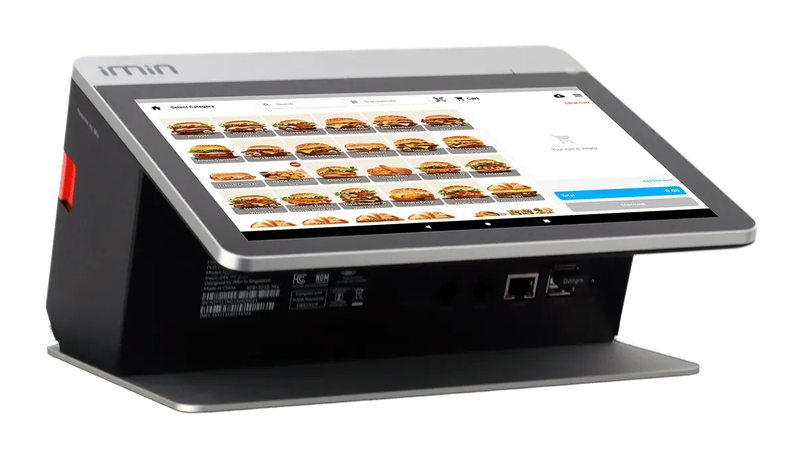
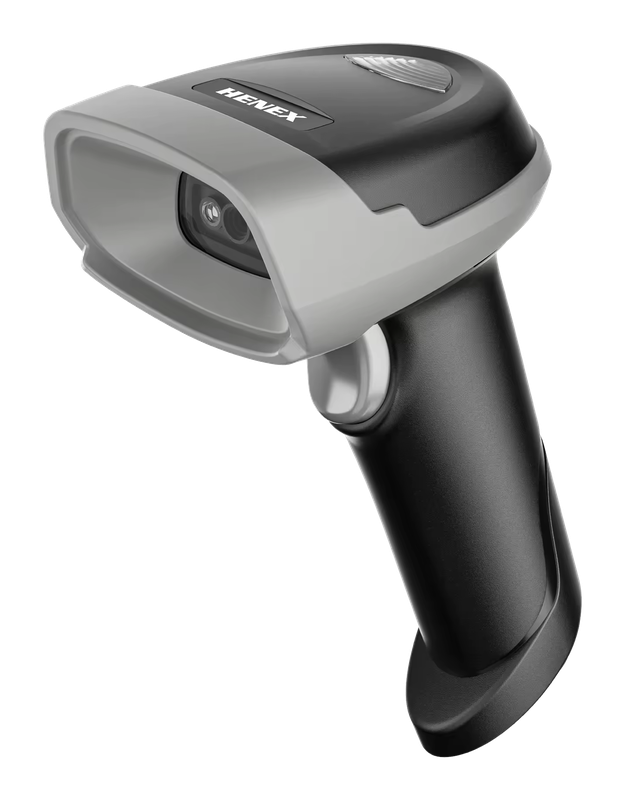
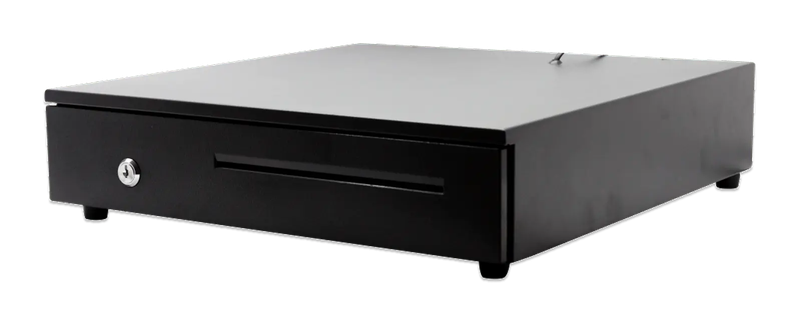
You do not have to work out what to buy. This is the whole set — the software, the counter terminal, the barcode scanner and the drawer.

Boutique package

PosPro 4.0 + counter set

Everything below, ready for your first customer at the counter.

iMin Falcon 1Bluetooth scannerCash drawer (4-slot)

iMin Falcon 1 · Bluetooth scanner · Cash drawer (4-slot)

The software — billed yearly

PosPro RM797
2 users + your main outlet Included
Consignment Included
Barcode product list Included

The counter set — bought once

iMin Falcon 1 RM1,600
Bluetooth scanner RM200
Cash drawer (4-slot) RM100
Total to get started RM2,697

After the first year, you only renew the software RM797 / year

Prices exclude SST. The hardware is yours — bought once, not rented.

14-day money-back guarantee — full refund, no complicated questions. (Software subscription only; hardware excluded.)

Google
4.7
500+ Google reviews

What business owners like you say

“The system makes my business very easy, especially money in and out, profit and loss and so on. The functions are excellent and easy to use — just a couple of clicks and it's settled.”
PL
Pak Lebai Kreatif
Google review
“Makes buying and selling easier for our company. Going paperless also saves us a lot. e-Invoice is in this system too. Thank you, Niagawan.”
CB
cream_puff by_yana
Google review
“I've been using Niagawan since 2021 and overall it's been a great experience. The system is easy to use, even for beginners, and it covers all the essential features to run an online business smoothly. What I like most is how user-friendly it is and how stable the platform has been over the years.”
FF
Fadzli Fuzi
Google review

Questions owners always ask

I have designer items on consignment mixed in with my own stock — can the system keep them separate?
Yes — consignment items are recorded separately from your own stock. When one sells, the system works out what you owe that designer, so month-end settlement becomes one report, not a guess from memory.
I still don't understand e-Invoice — I'm afraid of getting it wrong, what do I do?
e-Invoice (LHDN MyInvois) is built into the system — FREE, not a paid add-on. Even walk-in counter sales that don't need an e-Invoice get combined automatically into one consolidated invoice to LHDN. Our consultant walks you through it step by step, with WhatsApp support in Bahasa Melayu.
I already have my own printer/scanner — do I have to take the full set, and can I pay in instalments?
No — if you already have your own equipment, keep using it and only add what you need. If you do take the full set (terminal, scanner, printer, cash drawer), it's a one-time purchase and it's yours outright — there's no instalment option right now, and hardware isn't refundable.
TikTok Shop deducts its fee straight from every order — how does my P&L stay accurate?
Platform fees like TikTok Shop's can be recorded as a cost separate from that sales invoice — the same way delivery cost can already be separated today. Our consultant confirms the best way to record platform costs for your type of sales during the demo, so your P&L reflects actual sales.
I have 2 shops (a lot of other boutique owners I know do too) — how much do I pay for the second outlet?
Yes — sales, stock and consignment reports are organised by separate outlet as soon as your second outlet is registered in the system. The number of outlets and the right subscription are recommended based on the size of your operation — our consultant confirms the actual figure during the demo.
WhatsApp

Looking for Accounting or POS for your business?

Talk to us on WhatsApp, we show you how it fits your business.

Chat with us now

All modules included · Free upgrades & backups · Free help on WhatsApp

Niagawan
usually replies in minutes
Can I see a demo first?
Sure! When are you free for a free demo? 😊