
Retail and Wholesale From the Same Shelf?
With Niagawan PosPro, counter sales are scanned and wholesale orders become invoices. Both come off the same stock, and what wholesale customers owe is recorded.

Stock, Prices and Credit Are Hard to Check
Home bakers buy at the counter. Wholesale customers order on WhatsApp at wholesale prices, and some pay at month end. It all comes off the same shelf.
Two prices in the cashier's head.Retail customers get the wholesale price by mistake, or the other way round.
Credit sales are in a notebook.What regulars owe is in the 555 book, and at month end you collect from memory.
Stock is checked by looking at the shelf.Stock isn't recorded, so fast sellers run out in the festive season and orders go in late.
Part-payments are hard to follow.A customer pays some now and some later, and the balance gets lost.
Thinner Wholesale Margins, Rising Supplier Prices
Wholesale earns a smaller margin, and supplier prices keep going up. If you only see your profit at year end, it's too late to change your prices.
Counter, Wholesale and Credit in One System
Counter sales and wholesale invoices are recorded in the same accounts.
Scan at the Counter
Every item has its barcode and price. The payment method is recorded.
Raise a Wholesale Invoice
At the wholesale price, with credit terms. It can be shared via WhatsApp.
Check Stock
See what's left before the festive season.
Check Who Owes
See who owes you, and how much.
See How PosPro Works
All of this comes with Niagawan PosPro. Wholesale invoices are made in Niagawan Accounting System, which comes with it.
Different Prices for Wholesale Customers
Set each wholesale customer's price type once. You name the price types yourself, such as Borong.
- When you add products to their invoice, their price type comes up
- The wholesale price shows next to the retail price
- Staff don't need to remember two prices
Customer Pays Part? Track the Balance
Record what the customer paid, and the balance stays on the invoice.
- The invoice shows what's been paid and what's still owed
- The invoice list marks it Partial
- Set the payment term on the invoice, such as Net 30
- The invoice can be shared via WhatsApp
See Which Wholesale Customers Still Owe
The aging report lists what each customer owes, and how long it's been overdue.
- Columns from Current up to 91+ days
- Days are counted from each invoice's due date
- Check before you deliver the next order
See Which Wholesale Customers Haven't Paid
Each wholesale invoice has its payment terms. When a transfer comes in, match it to the invoice through bank reconciliation. If the payment is short, the balance stays on the customer's record.
What You Can Check
Which customers still owe, how much, and for how long.
Short payments, or one transfer covering two invoices, show up when you reconcile the bank.
Everything a Supplies Shop Needs, in One Package
This package includes Niagawan PosPro, the counter terminal, a barcode scanner and a cash drawer.
Niagawan PosPro + Counter Set
Everything on this list for the counter and wholesale orders.
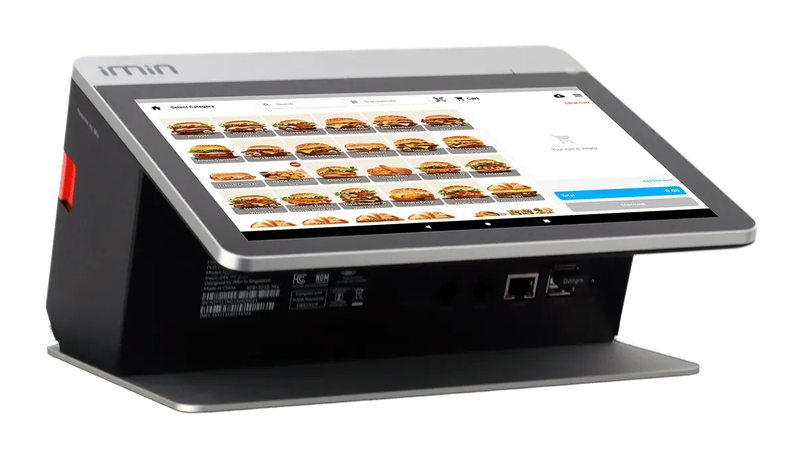
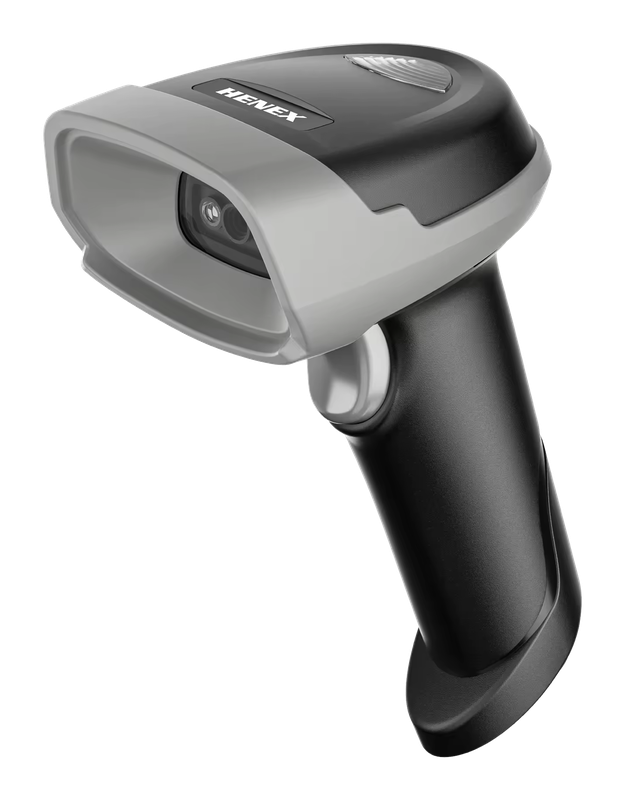
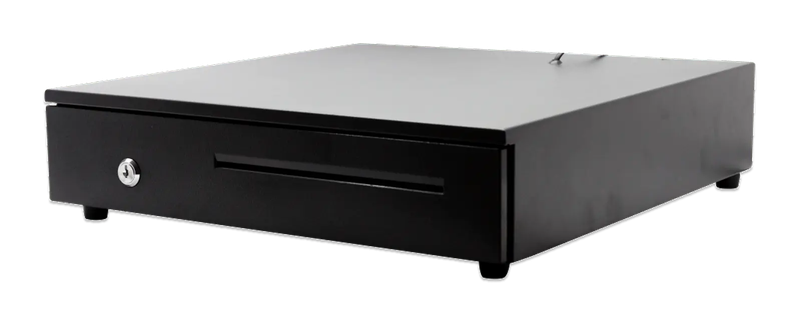
iMin Falcon 1 · Bluetooth scanner · Cash drawer (4-slot)
The software — billed yearly
The counter set — bought once
After the first year, you only renew the software RM797 / year
Prices exclude SST. The hardware is yours — bought once, not rented.
What Business Owners Like You Say
“I've used their products since 2021 — the best, and very helpful for traders who don't have a finance background.”
“Alhamdulillah, I'm now in my sixth year using the Niagawan Plus app. It's very good and makes it easy for me to give quotations and invoices to customers.”
“Easy to navigate and a good mobile interface. What I like the most is their WhatsApp customer service. For people like me who don't know much about accounting and bookkeeping, this is very, very helpful.”
14-day money-back guarantee — full refund, no complicated questions. (Software subscription only; hardware excluded.)
Looking for Accounting Software or a POS System for Your Business?
Chat with our team on WhatsApp and we will show you how Niagawan fits your business.
e-Invoice included · Unlimited documents · Free WhatsApp support