
Long Queue? Keep Every Cup on Record
Niagawan PosPro is a POS system with accounting built in, for drinks kiosks. Staff tap the flavour, size and sugar level, take payment, and the sale is recorded.

How Many Cups Did You Sell Today?
Kiosk sales are small but many. During the rush, nobody has time to record each one.
Long queues can put customers off, especially during peak hours.The same staff take the order and collect payment.
Ingredient costs are never added up.Milk, tea, pearls and cups are bought a little at a time.
Cash and e-wallet takings go unchecked.Nobody confirms how much came in by cash and how much by e-wallet.
Your sales figure is an estimate.When the mall or your accountant asks for a report, it is added up from memory.
Hard to Know If the Kiosk Is Making Money
Milk prices go up, and rent and wages are due every month. To know your profit, all of that has to come off your sales. Without sales by flavour, you can't tell which drink sells best either.
Every Cup Recorded as a Sale
Staff key in the order at the counter. The sale and how it was paid are recorded in your accounts.
Tap the Order
Flavour, size, sugar level and toppings.
Take Payment
Cash, DuitNow QR, e-wallet or card, recorded on each sale.
Close the Shift
See cups sold by flavour, and check the takings against the Shift Report.
Record Your Purchases
Enter milk, tea and cups as Purchase Invoices.
See How PosPro Works
All of this comes with Niagawan PosPro.
Take Orders With Less Guesswork
Set up flavours, sizes, sugar levels and toppings once. Staff tap them when a customer orders.
- Each sale is saved as it is keyed in
- Replaces a paper tally or a plain tablet
Let Customers Order by QR
Customers scan the QR and choose their own flavour and sugar level. Staff accept the order in the POS before making the drink.
- Included in Niagawan PosPro, not a paid add-on
- Fewer misheard orders, because customers choose for themselves
- Staff have more time to make drinks
Check Takings by Shift and by Staff
At shift close, the Shift Report shows what should have been collected against what you counted, for cash, card, DuitNow QR and e-wallet.
- Any amount over or short is shown for that shift
- Each sale is recorded under the staff member on the counter
Keep Rent, Wages and Supplies on Record
Kiosk rent, wages, utilities and repairs are recorded as expenses. Ingredients bought from suppliers are recorded as Purchase Invoices.
- Unpaid supplier balances stay in one list
- All of it goes into your Profit and Loss
Know Your Kiosk's Monthly Profit
The Profit and Loss report shows your sales, the cost of goods you have recorded, your operating expenses and the kiosk's profit.
- View it by month or by date
- Profit and Loss and Balance Sheet for you or your accountant
- Compare flavours in the Product Report: cups sold and gross profit for each, when product costs are recorded
Everything a Drinks Kiosk Needs, in One Package
This is the whole set: the software, the counter terminal and the cash drawer. It fits on a small kiosk counter.
Niagawan PosPro + Counter Set
Everything below, ready for your next rush hour.
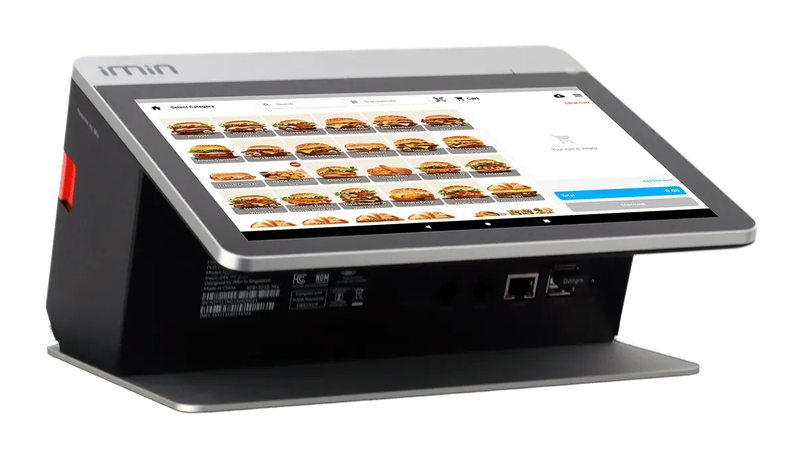
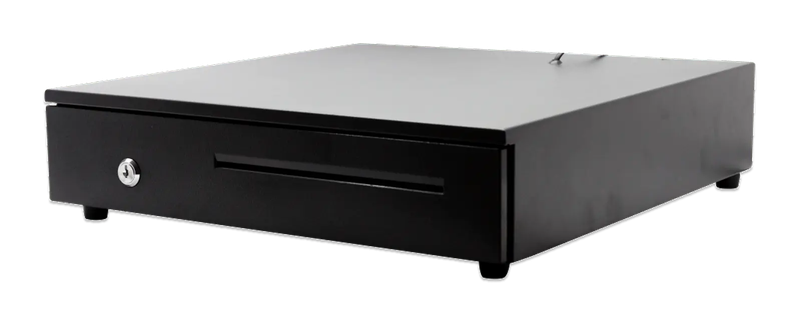
iMin Falcon 1 · Cash drawer (4-slot)
The software — billed yearly
The counter set — bought once
After the first year, you only renew the software RM797 / year
Prices exclude SST. The hardware is yours — bought once, not rented.
14-day money-back guarantee — full refund, no complicated questions. (Software subscription only; hardware excluded.)
What Business Owners Like You Say
“Easy to navigate and a good mobile interface. What I like the most is their WhatsApp customer service. For people like me who don't know much about accounting and bookkeeping, this is very, very helpful.”
“Been using Niagawan for over 2 years. Alhamdulillah, it's easy and user-friendly. The system and layout keep improving year after year. Customer service is also quick to respond and easy to deal with.”
“Makes buying and selling easier for our company. Going paperless also saves us a lot. e-Invoice is in this system too. Thank you, Niagawan.”
Questions Owners Always Ask
Do I Pay Every Year?
What Happens If the Internet Is Unstable?
My Kiosk Counter Is Small. Will It Fit?
Who Do I Ask If I'm Stuck on Setup?
Can I Get a Refund If It Doesn't Suit My Kiosk?
Looking for Accounting Software or a POS System for Your Business?
Chat with our team on WhatsApp and we will show you how Niagawan fits your business.
e-Invoice included · Unlimited documents · Free WhatsApp support