
Busy Cafe? Keep Orders, Kitchen and Sales in Sync
Niagawan PosPro is a cafe POS system with accounting built in. Staff take orders on a tablet, the kitchen printer prints them, and your sales, purchases and expenses lead to one Profit and Loss report.
When Orders Pile Up, Small Mistakes Slow Everything Down
Staff write the order on a slip and pass it to the kitchen. The cashier works out the bill from the same slip. It works on a quiet morning. At lunch, it struggles.
Orders reach the kitchen late, or wrong.A slip waits on the counter, or the handwriting is misread.
Some sales never get recorded.A slip goes missing during the rush, and nobody notices.
The cash at closing is hard to check.There is no sales record to compare the drawer against.
You only know today's sales if you are there.Otherwise you call the shop, or wait until you are back.
Supplier Bills and Expenses Sit Somewhere Else
Coffee beans, milk and syrup are on supplier bills. Rent and wages are in another file. Nothing connects them to your sales, so you find out how the cafe really did when your accountant finishes the year.
From Customer Orders to Daily Sales, All Connected
In Niagawan PosPro, the POS and the accounting are one system. The order becomes the bill, and the paid bill becomes your sales record.
Take the Order
Staff choose the table, or mark it as takeaway, and pick the items on a tablet.
The Kitchen Printer Prints It
The order goes to the kitchen without a handwritten slip.
Take Payment
Record how the customer paid: cash, DuitNow QR, e-wallet or card.
See the Day's Sales
Each paid bill is a sales record, under the staff member who keyed it in.
With a separate POS and accounting system, somebody has to key the sales in again every month.
The Screens You Will Use Every Day
All of this comes with Niagawan PosPro.
Take the Order Once. The Kitchen Gets It
Staff key in the order on a tablet or at the counter, and it is sent to the kitchen printer.
- Several tablets can take orders at the same time, and they stay in sync
- Dine-in and takeaway orders in the same system
- Add size, sugar level or toppings to a drink
Let Customers Order From Their Table
Customers scan the QR at the table and pick from your menu. Your cashier accepts the order in the POS, and it goes to the kitchen.
- Included in Niagawan PosPro, not a paid add-on
- Fewer misheard orders, because customers choose for themselves
- Staff have more time to serve and clear tables
Know at Closing Whether the Takings Match
At shift close, the Shift Report shows what should have been collected against what you counted, for cash, card, DuitNow QR and e-wallet.
- Any amount over or short is shown for that shift
- Sales are recorded under the staff member who keyed them in
- No adding up from slips at the end of the night
Record Purchases and Shop Expenses
Coffee, milk and syrup bought from suppliers are recorded as a Purchase Invoice, and appear under Cost of Goods Sold in your Profit and Loss.
- Rent, wages and utilities are recorded as expenses
- Each supplier invoice can carry its due date, so you can see what is owed and when
Is Your Busy Cafe Actually Profitable?
The Profit and Loss report sets your POS sales against the purchases and expenses you have recorded, month by month.
- See sales, cost of goods, expenses and profit on one page
- Profit and Loss and Balance Sheet for you or your accountant
- Check any month, not only at year end
- The Product Report shows the gross profit of each drink and food item, when product costs are recorded
Everything a Cafe Needs, in One Package
You do not have to work out what to buy. This is the whole set: the software, the counter terminal, the kitchen printer and the cash drawer.
Niagawan PosPro + Counter Set
Everything below, ready to run your first service.
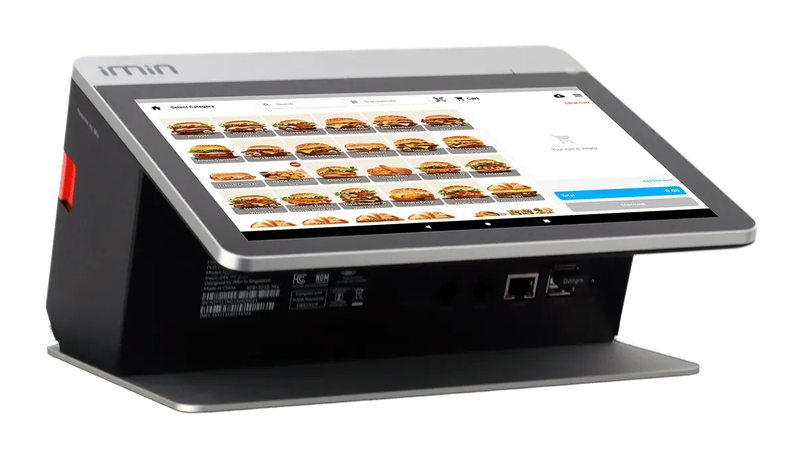
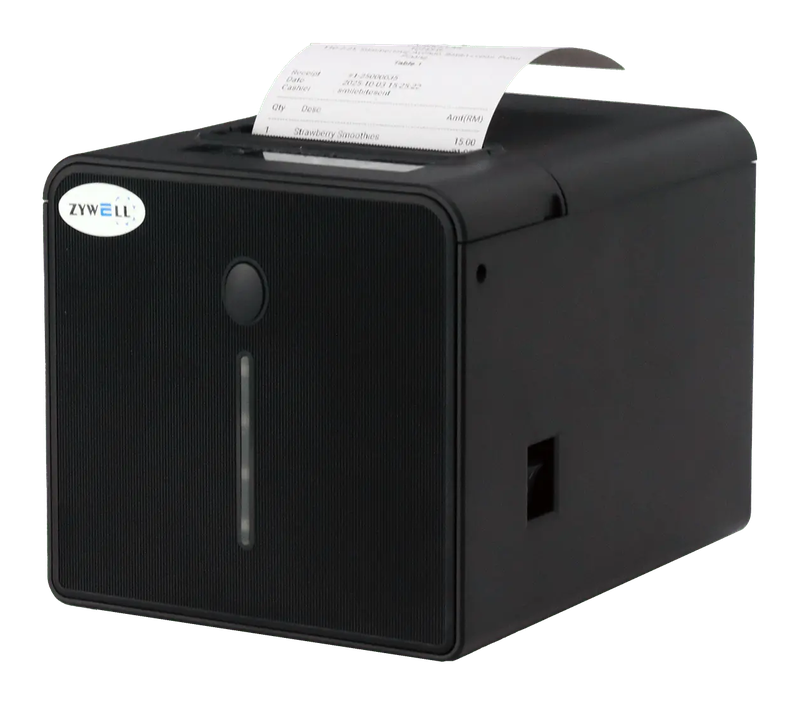
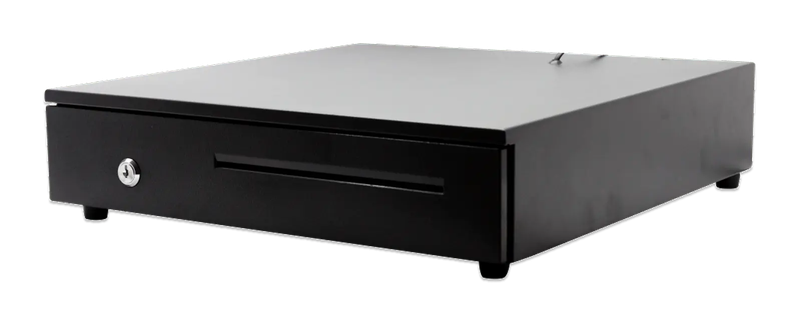
iMin Falcon 1 · WiFi printer · Cash drawer (4-slot)
The software — billed yearly
The counter set — bought once
After the first year, you only renew the software RM797 / year
Prices exclude SST. The hardware is yours — bought once, not rented.
14-day money-back guarantee — full refund, no complicated questions. (Software subscription only; hardware excluded.)
What Business Owners Like You Say
“The system makes my business very easy, especially money in and out, profit and loss and so on. The functions are excellent and easy to use — just a couple of clicks and it's settled.”
“Makes buying and selling easier for our company. Going paperless also saves us a lot. e-Invoice is in this system too. Thank you, Niagawan.”
“What helps me a lot is tracking records and billing my customers wherever I am. The system is easy and very helpful. If you don't understand, go to the widget and get help from the Niagawan team. Recommended for those who want it easy and simple.”
Questions Owners Always Ask
What Happens If the Internet Drops?
Is the Counter Set a One-Time Payment, or Can I Pay in Instalments?
Who Do I Ask If I'm Stuck on Setup or the Printer?
Can I Issue LHDN e-Invoices?
Can I Get a Refund If It Doesn't Suit My Cafe?
Looking for Accounting Software or a POS System for Your Business?
Chat with our team on WhatsApp and we will show you how Niagawan fits your business.
e-Invoice included · Unlimited documents · Free WhatsApp support