Niagawan
POS

Your hardware shop, from the 7am pickup load to who owes you what at close

The contractor loads up, the scanner prices every item, and the credit sale becomes an invoice on his account — not a line in the 555 book. POS and accounting in one system, not two.

Your hardware shop, from the 7am pickup load to who owes you what at close
Your day, right now

Selling on credit is not the problem. Not seeing it is.

At 7 the first pickup backs up to your door. The contractor calls out what he needs — cement, wire, two sacks of chicken feed. Only you know the prices, so every big load waits for you at the counter. Then he says put it in my account, and it becomes a line in a notebook.

The shop cannot run without you at the counter.The prices live in your head, so every big order waits for you — mornings, weekends, always.

Credit sales leak money quietly.A hurried price, a forgotten line, a page nobody chased. The 555 book never adds itself up.

You do not know what is on the shelf.Thousands of items across the racks and the yard. What is finished, what is not moving, what walked out — nobody counted.

Busy sales, unknown margin.Cement sells all day and makes almost nothing. The fittings carry the shop. You cannot see which is which.

You have sales every day. You do not have the numbers.

The bank balance moves, the lorries keep delivering, and the counter is never quiet. But the number that matters — what you actually earn after cost on every bag and every roll — is not written anywhere. And the biggest number of all, the total your customers owe you, lives spread across a notebook.

Meanwhile your own suppliers give you thirty days. Whether the money coming in from contractors lands before the money going out to suppliers falls due — that is the question that decides your cash, and today it is answered by feel.

How Niagawan fixes it

Scan, sell, credit, collect — one system

The scanner prices the item, the sale posts as cash or onto the customer's account, and your accounts already hold it. Nothing goes into a notebook, nothing is keyed twice.

01

Scan the barcode at the counter

The price is in the system, not in your head. Any staff can bill the pickup load.

02

Cash, or on account

A credit sale becomes an invoice under that contractor's name, the moment he loads up.

03

Send the statement, get paid

Every customer's balance is one screen. Month end, the statement goes out on WhatsApp.

04

It is already in your accounts

Sales, margin per item, and the full list of who owes what. Nothing to key at month end.

Everywhere else you buy the halves separately — a POS from one company, accounting from another — or you run a cash register that has never heard of a credit customer, and the 555 book stays.

Inside the system — real screens

Inside the system — real screens

Not promises — the actual screens you use every day.

01 · Counter Scan

Scan once, the price comes up instantly

Hundreds to thousands of items in your shop — scan the barcode and the price comes up instantly, no memorising, no waiting for the owner.

  • Scan the barcode, the price comes up instantly — no need to memorise prices for hundreds or thousands of items
  • Any staff can sell at the counter, not just the owner who knows the prices
  • The counter doesn't have to wait for the owner to arrive before quoting a price
  • The bill generates instantly — a cash sale at the counter is done in seconds
02 · Purchase Invoices & Average Cost

New stock comes in at a new price, cost recalculates itself

Every time stock comes in at a new supplier price, the system averages the cost automatically — you never have to guess your selling cost.

  • Supplier purchase invoices are recorded straight away, due dates clearly visible
  • Average cost is calculated automatically whenever the supplier's price changes
  • The real margin on every item is accurate, not a guess
  • Purchase records are ready whenever the bank or LHDN wants to check
03 · Stock

Thousands of items, one clear list

From bags of cement to the smallest fitting — every item's balance is right there in the system, not a guess when a bulk buyer wants a lot.

  • The stock list shows every product's balance, unit (UOM) and stock status, any time
  • See which items aren't moving or are about to run out
  • Ready the moment a bulk customer asks 'do you have stock or not'
  • Stock updates automatically after every sale or purchase — no manual counting with a book or Excel
04 · e-Invoice

e-Invoice ready, not an add-on

LHDN e-Invoice is built straight into your system — not a separate add-on, ready to send the moment your business needs it.

  • e-Invoice (LHDN MyInvois) is built straight into the system — FREE, not a separate add-on
  • Walk-in sales without a customer e-Invoice are combined automatically into one consolidated invoice
  • The e-Invoice report shows approved, pending and cancelled status every month
  • Submit straight to LHDN MyInvois from the same system you already use for daily sales
05 · Profit & Loss and Account Reports

Is the business making money, see it instantly

Counter sales, contractor invoices, monthly expenses — all in one system, your real profit and loss comes out automatically whenever you want to check.

  • The Profit & Loss (P&L) report generates automatically by month, year or a date range you choose
  • Cost of sales, gross profit and expenses are all calculated by the system, not manual Excel
  • No need to wait for year-end — check this month's profit any time you want
  • Records are ready whenever the bank or LHDN wants to check, not scattered across other books
What it costs to start

Everything a hardware shop needs, in one package

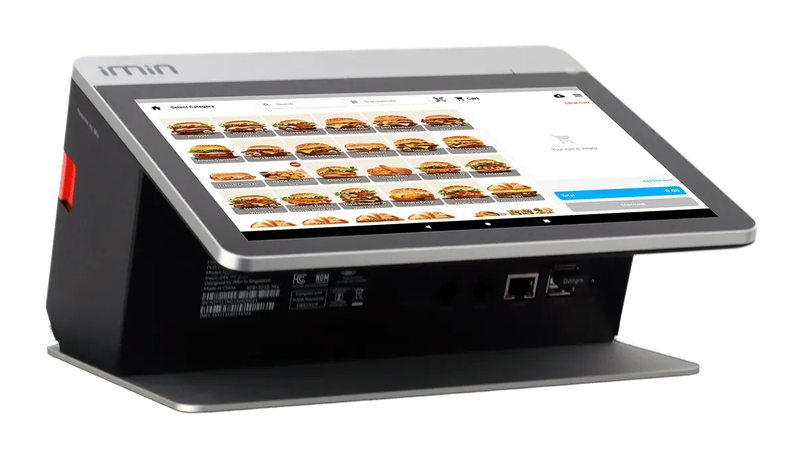
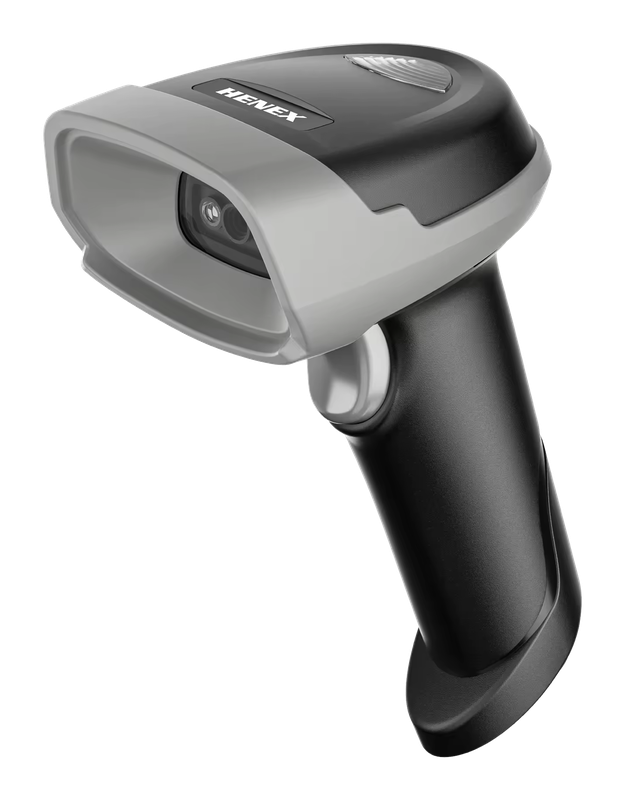
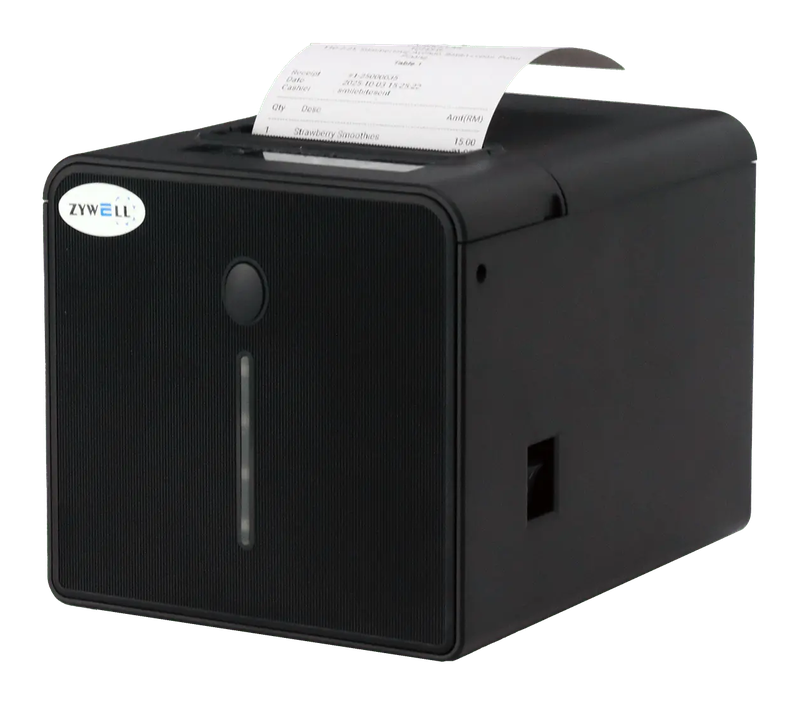
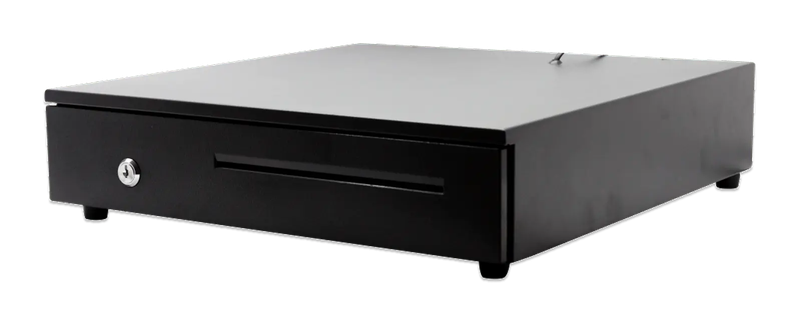
You do not have to work out what to buy. This is the whole set — the software, the counter terminal, the barcode scanner, the receipt printer and the drawer.

Hardware shop package

PosPro 4.0 + counter set

Everything below, ready to bill your first pickup load.

iMin Falcon 1Bluetooth scannerWiFi printerCash drawer (4-slot)

iMin Falcon 1 · Bluetooth scanner · WiFi printer · Cash drawer (4-slot)

The software — billed yearly

PosPro RM797
2 users + your main outlet Included
Customer credit accounts Included
Barcode scanning Included

The counter set — bought once

iMin Falcon 1 RM1,600
Bluetooth scanner RM200
WiFi printer RM400
Cash drawer (4-slot) RM100
Total to get started RM3,097

After the first year, you only renew the software RM797 / year

Prices exclude SST. The hardware is yours — bought once, not rented.

14-day money-back guarantee — full refund, no complicated questions. (Software subscription only; hardware excluded.)

Google
4.7
500+ Google reviews

What business owners like you say

“What helps me a lot is tracking records and billing my customers wherever I am. The system is easy and very helpful. If you don't understand, go to the widget and get help from the Niagawan team. Recommended for those who want it easy and simple.”
HS
Hanny Sabunku
Google review
“An account system that's easy to understand and easy to use. It speeds up every transaction and makes it easier to monitor the check and balance of accounts.”
AA
Azreen Amiruddin
Google review
“The system makes my business very easy, especially money in and out, profit and loss and so on. The functions are excellent and easy to use — just a couple of clicks and it's settled.”
PL
Pak Lebai Kreatif
Google review

Questions owners always ask

I already use another accounting system for my hardware shop — can I move straight over to Niagawan?
Niagawan doesn't sync automatically with your existing system — your customer data, stock and old invoices need to be re-entered when you switch. Our consultant helps you through the process step by step, with WhatsApp support in Bahasa Melayu.
I already have my own scanner/printer/cash drawer — do I have to buy the full set?
No — if you already have your own equipment, just use it and only add what you need. If you take the full set (terminal, scanner, printer, cash drawer), it's a one-time purchase and it's yours to keep — there's no instalment option for now, and hardware isn't refundable.
I already pay an outside accountant every year — do I have to pay for Niagawan on top of that?
Yes, the Niagawan subscription is separate from your outside accountant's fee. Many customers use Niagawan to manage their own daily records (sales, purchases, profit & loss) and cut down on their accountant's workload — but whether you keep your outside accountant or not is entirely your call.
I run several projects at the same time — can I see profit and loss by project separately?
This system's profit and loss report runs by month, year or a date range you choose — not split out by project. To separate costs by project, you can label your expenses and purchase invoices with that project's name so the costs show up separately; sales stay in one ledger.
My company is an enterprise below the annual revenue threshold — do I still need e-Invoice?
If your company is genuinely exempt (an enterprise below LHDN's annual revenue threshold), you can switch off the e-Invoice function in the system settings. Once your revenue reaches the threshold, turn it back on whenever you need to.
WhatsApp

Looking for Accounting or POS for your business?

Talk to us on WhatsApp, we show you how it fits your business.

Chat with us now

All modules included · Free upgrades & backups · Free help on WhatsApp

Niagawan
usually replies in minutes
Can I see a demo first?
Sure! When are you free for a free demo? 😊